Contextual Help for CAM
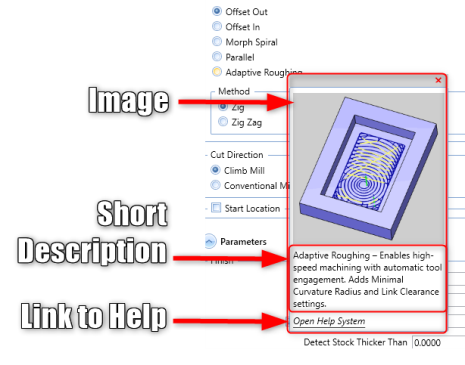
BobCAM for SOLIDWORKS V13 brings Contextual Help pop-ups to the CAM Wizard, making it easier to understand toolpath parameters. Hover over any setting to see a helpful image, a short description, and a direct link to the Help System. You can also adjust the pop-up delay time between 0.25 and 2 seconds for a more personalized experience.
Advanced Roughing
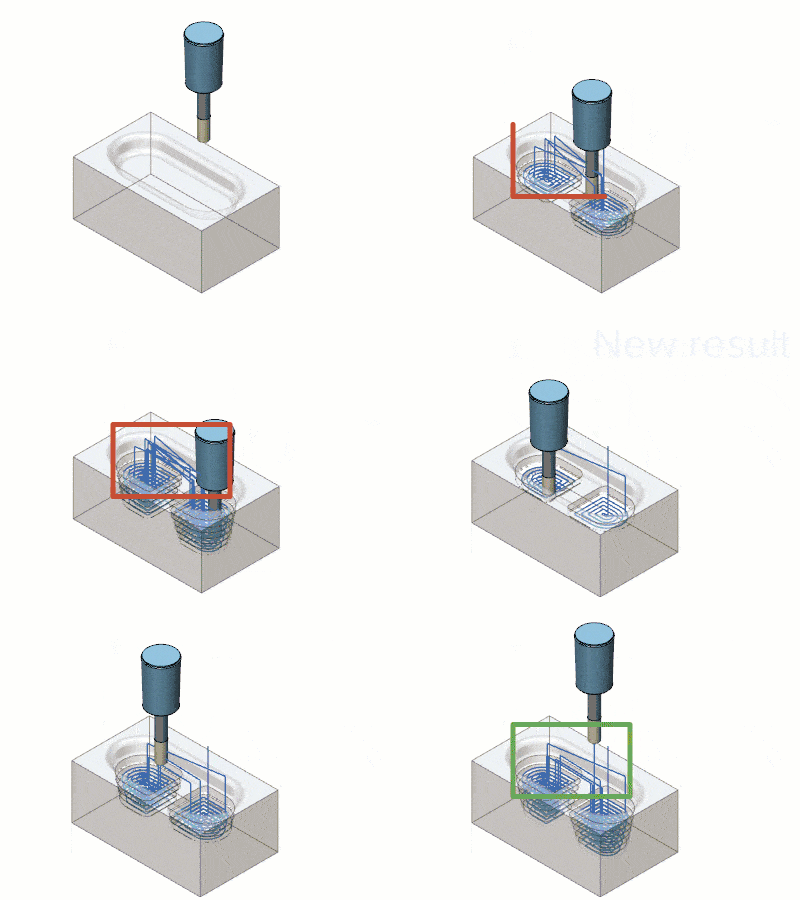
Advanced Roughing now uses optimized level-based ordering to reduce retracts and unnecessary linking. This results in shorter machining times and smoother, more efficient tool movement.
Enhanced Turn Milling Geometry and Fixture Support
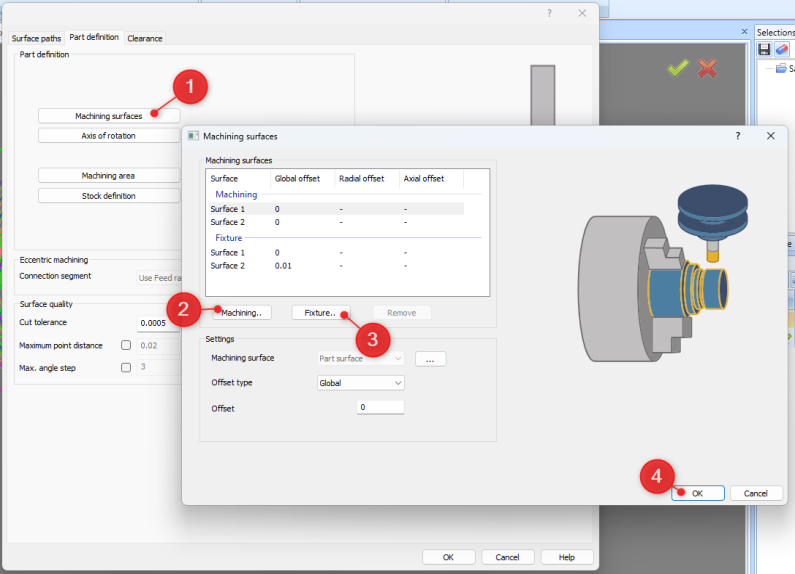
BobCAM for SOLIDWORKS V13 now supports multi-geometry selection for Turn Milling, allowing users to pick multiple profiles or surfaces for greater flexibility. You can also select fixture and chuck geometry, which is now included in collision avoidance calculations. This ensures safer, more accurate toolpaths and better control during complex Turn Milling operations.
Improved Deburring with Continuous Corner Toolpaths
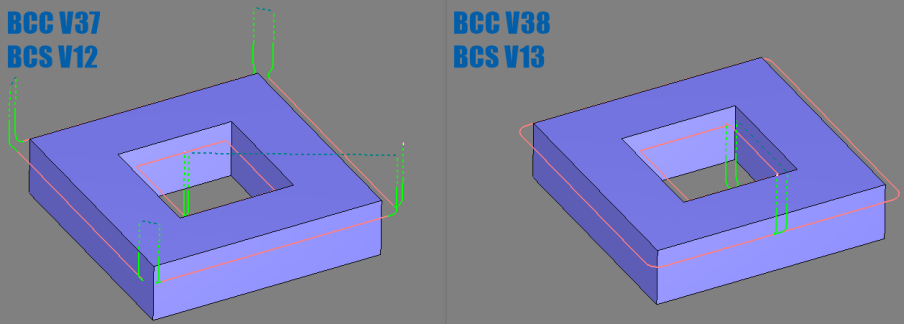
BobCAM for SOLIDWORKS V13 enhances 5-axis deburring by generating continuous toolpaths around inner and outer corners—automatically, with no extra setup. Corner arc support for chamfer tools reduces unnecessary linking motions, improving surface quality and reducing overall cycle time.
New “Fade” Lead Type
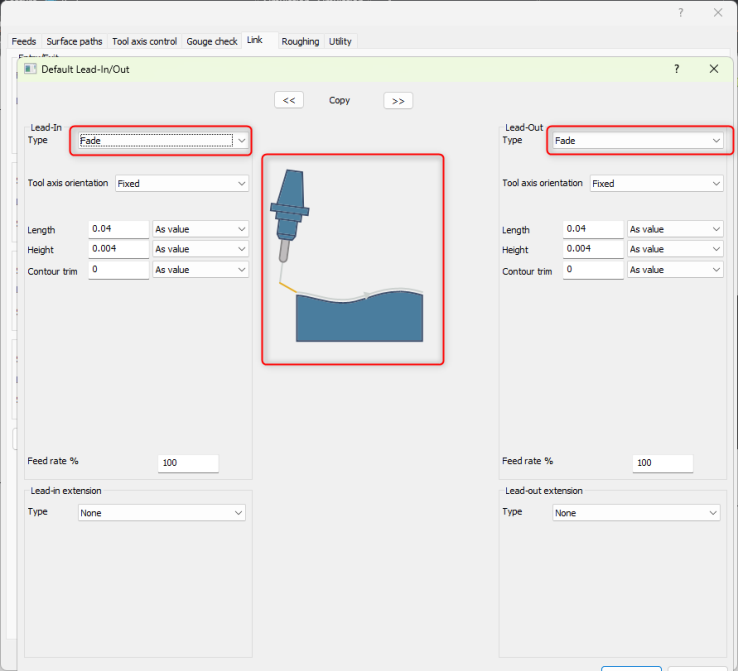
The new Fade lead type creates a gentle ramp into and out of the surface, helping rest finishing strategies engage material smoothly. This reduces stepover marks and improves surface quality, especially after tool changes, reorientation, or machine downtime.
Simulation
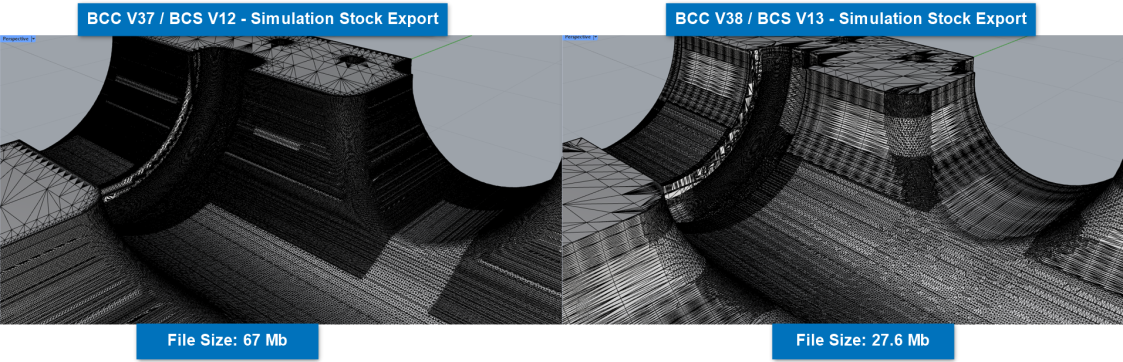
BobCAM for SOLIDWORKS V13 introduces a new graph-based triangulation method that speeds up stock rendering and mesh export. It also creates more watertight meshes, improving simulation accuracy and performance.
Solidworks V13
BobCAM for SOLIDWORKS V13 delivers powerful, integrated CAM for 2-5 Axis Milling, Lathe/Mill Turn, and Wire EDM, all within the SOLIDWORKS environment. It supports both 3D models and 2D drawings for a seamless design-to-machining workflow.
V13 adds a Version Migration Utility, smarter Hole Recognition, Custom Roughing Tools, and improved Operation and Tool Trees. With features like Finishing Spring Passes and enhanced Advanced Leads, V13 boosts programming speed and machining precision.