V38 – What’s New Compared to Previous Versions?
Explore the Key Improvements in V38
BobCAD-CAM V38 introduces real upgrades that help you work faster and more efficiently than ever before. With enhanced toolpaths, a smoother interface, and smarter automation, this version makes everyday programming easier and more reliable.
Whether you’re coming from V37 or an earlier release, V38 gives you the tools to handle complex jobs with less effort and greater confidence.
Top 10 New Features:
BobCAD-CAM V38 brings the precision, efficiency, and reliability machinists count on. With smarter automation and new tools, this release helps you cut faster, program quicker, and improve surface finishes. Whether you’re a programmer or shop owner, V38 makes everyday machining more productive.
CAM Wizard with Real-Time Feedback
The new CAM Wizard simplifies programming by guiding users step by step, while keeping the graphics area fully visible. Toolpaths can be generated instantly, reducing trial-and-error and helping machinists make faster, more confident programming decisions.
Contextual Help Built into the Wizard
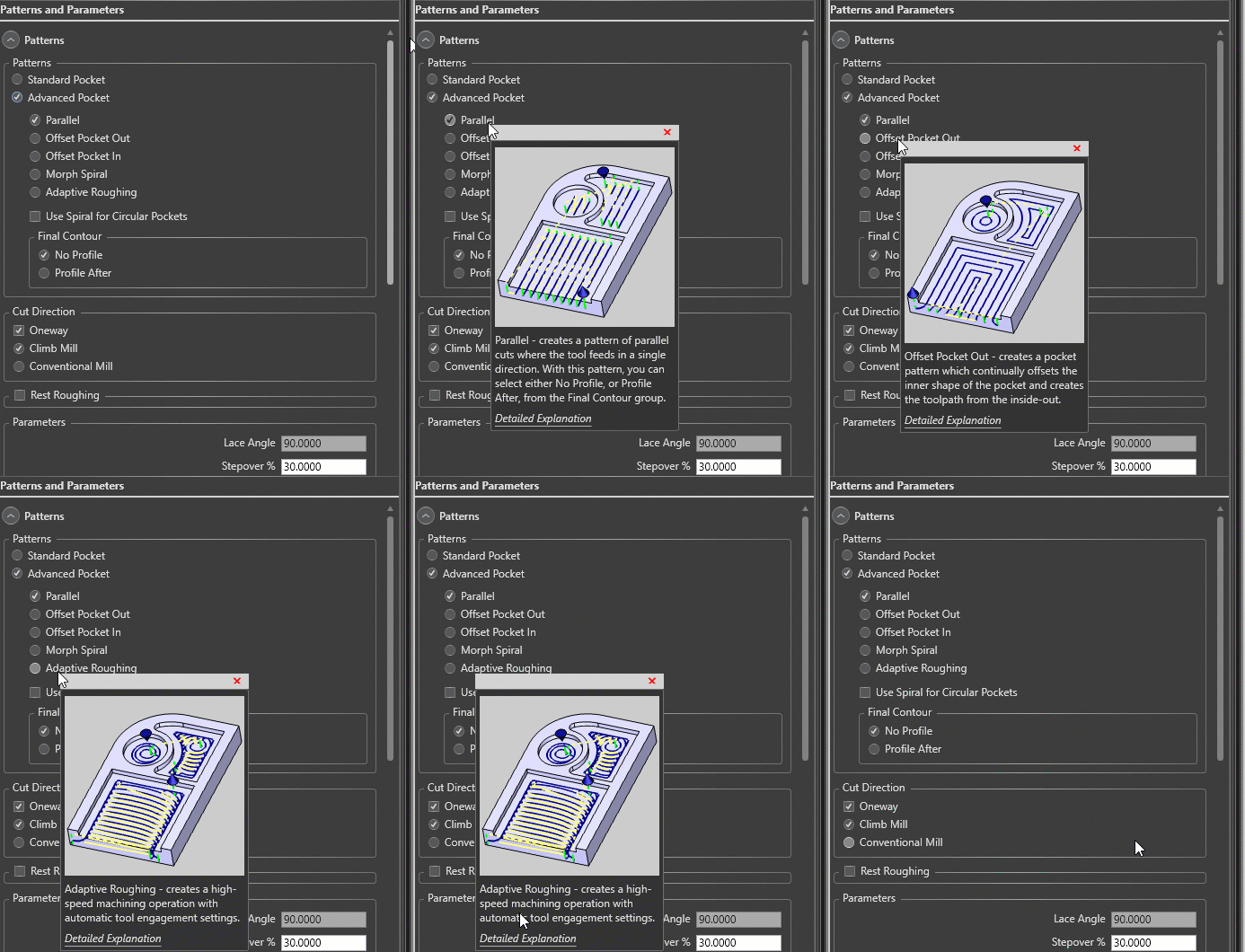
No more searching manuals during crunch time. Hovering over any parameter instantly provides definitions, visual cues, and links to deeper documentation. This streamlines the learning curve and ensures consistent setups, especially for shops training new operators.
Component Library for Reusable Geometry
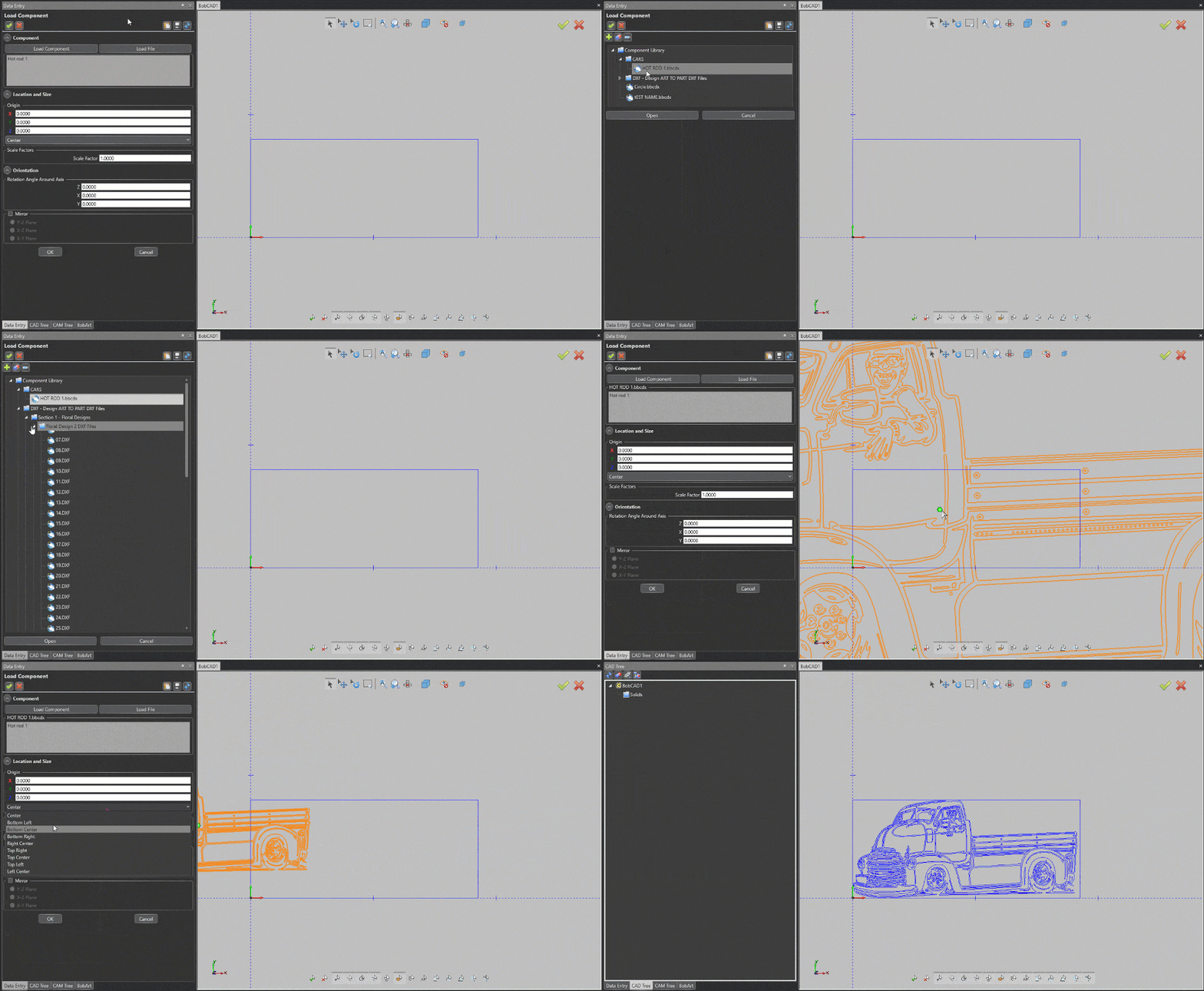
The new component library lets you store, preview, and insert commonly used 2D and 3D geometry. Standardizing features and assemblies save time and ensure accuracy, particularly valuable for high-volume or repeat jobs.
Custom CAD Default Parameters
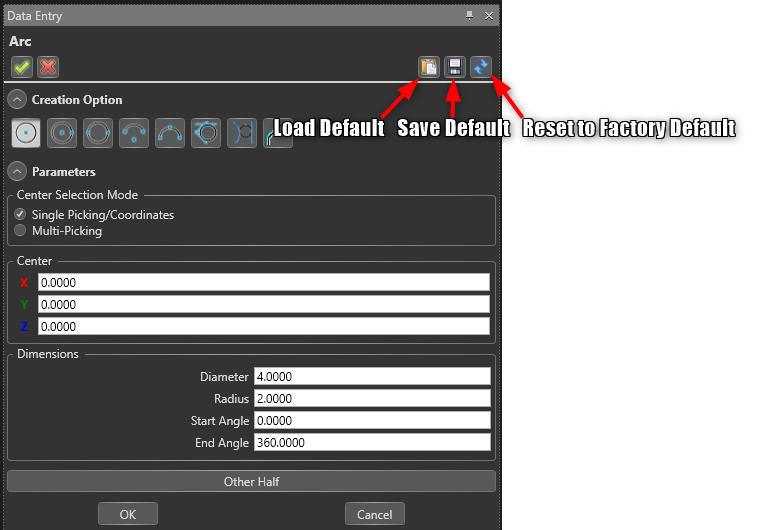
BobCAD-CAM V38 allows you to define and save your own defaults for CAD operations, whether you’re working in inches or metric. This eliminates repetitive data entry and ensures that your preferred machining standards are always applied from the start.
Smarter Lathe Picking from Solids and Surfaces
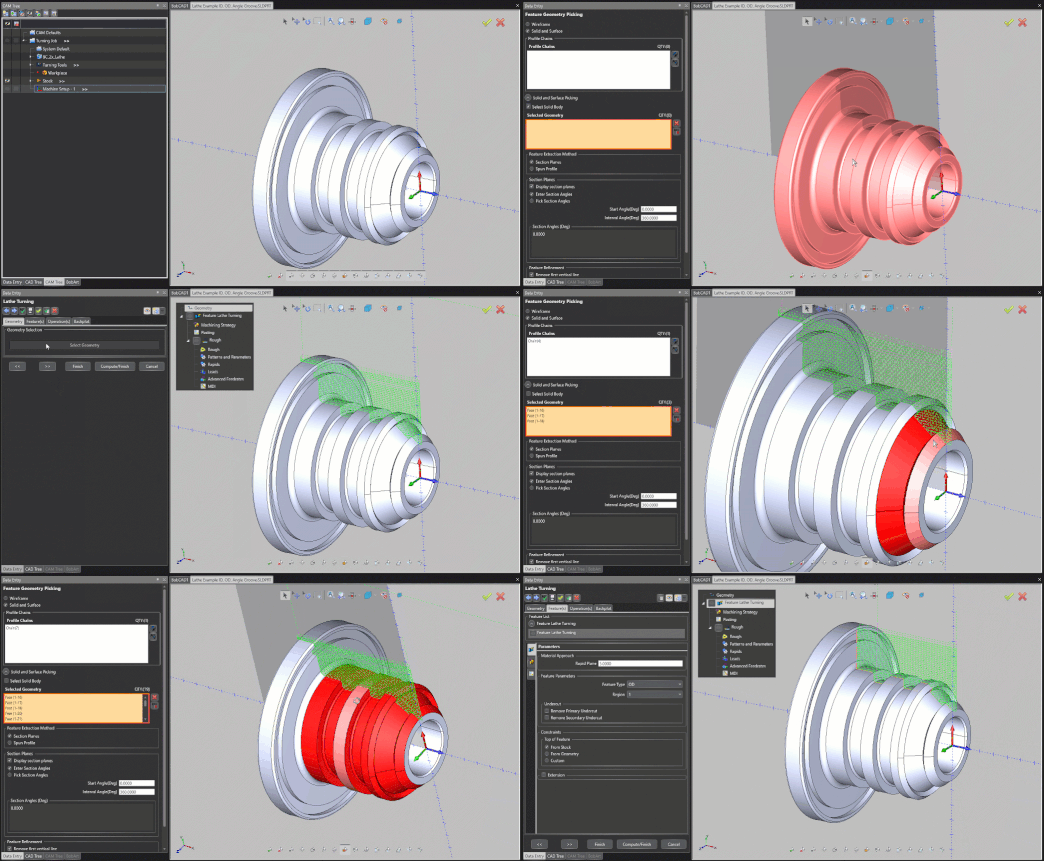
Instead of extracting wireframe profiles manually, you can now select solids or surfaces directly when programming lathe operations. This reduces setup steps and makes turning workflows more intuitive.
Customized Depths in 2-Axis Milling


Not all cuts should be equal. With V38, machinists can now define variable depth cuts in 2-axis milling. This makes it possible to rough aggressively at the top and switch to lighter passes in critical finishing zones — improving efficiency without compromising part quality.
Improved Boundary Trimming Options
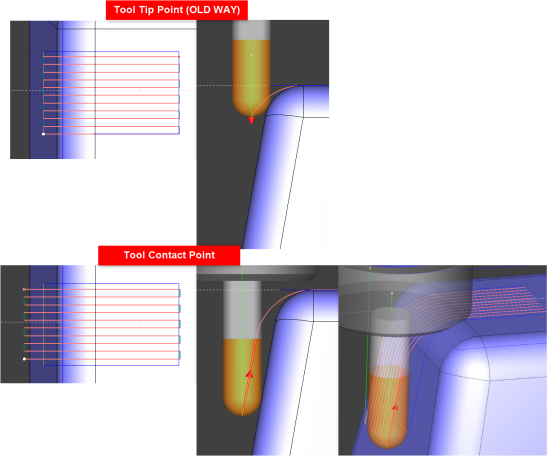
Toolpath control has been refined with options to trim based on the tool tip or contact point. This ensures precise machining near edges and minimizes the risk of gouging or leaving excess stock, especially during complex 3-axis finishing operations.
Rest Finishing Based on Previous Tool Length

Rest machining has always been a key feature in BobCAD-CAM, and V38 takes it further. The software now detects leftover areas unreachable by previous tools due to flute length, automatically cleaning up missed pockets. This saves time, reduces manual work, and improves results on complex parts.
Rotary Machining Enhancements
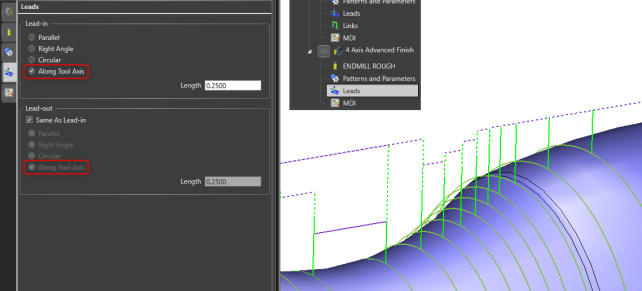
Rotary and multi-axis machining get a significant boost with improved collision avoidance, expanded lead-in/lead-out strategies, and new trimming controls. These upgrades provide safer toolpaths, smoother transitions, and greater flexibility for complex parts.
New “Fade” Lead Type & Enhanced 5-Axis Deburring
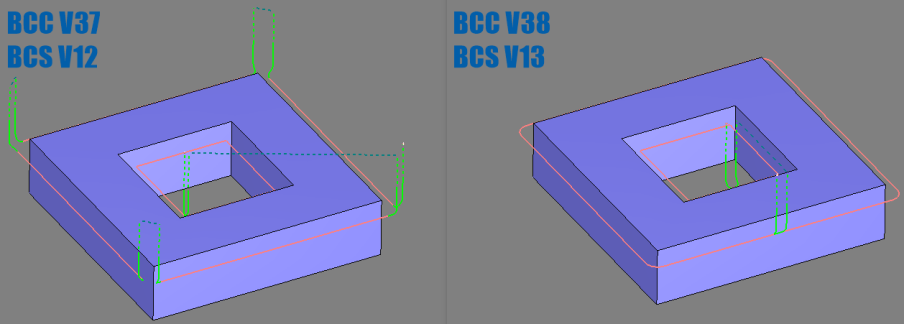
Surface finish is king, and these enhancements deliver. The new Fade lead type allows for a smoother ramp into and out of cuts, while 5-axis deburring now favors stable 3+2 motion, reducing abrupt repositioning and improving consistency across parts.
Solidworks V13
BobCAM for SOLIDWORKS V13 delivers powerful, integrated CAM for 2-5 Axis Milling, Lathe/Mill Turn, and Wire EDM, all within the SOLIDWORKS environment. It supports both 3D models and 2D drawings for a seamless design-to-machining workflow.
V13 adds a Version Migration Utility, smarter Hole Recognition, Custom Roughing Tools, and improved Operation and Tool Trees. With features like Finishing Spring Passes and enhanced Advanced Leads, V13 boosts programming speed and machining precision.